EpicClaws — Why I Built My Own Multi-Agent Platform
I've been working intensively with AI agents for over a year. First locally, with custom setups — one agent writing code, one testing, one deploying. It worked. But at some point I hit a wall: What if agents don't just work sequentially, but as a real team? What if multiple users need their own agent teams simultaneously? What if you want to dynamically compose the tools an agent can use — without building a new pipeline for every use case?
The answer to these questions is EpicClaws — a multi-tenant, multi-agent platform that I built from the ground up.
The Inspiration — and Why It Wasn't Enough
Before I built EpicClaws, OpenClaw was my starting point. Open source, agent framework, promising. It came with a CLI, various interfaces, and even a real-time UI. But after intensive use, the limitations became clear:
- No real multi-tenancy. There was no concept of isolated tenants or workspaces. Everything ran in a global context.
- No tool composition. Tools had to be installed and configured manually. If you wanted to give an agent a different toolset, you had to rebuild by hand — no dynamic per-workspace composition.
- No container isolation. Agents ran in the same process, with access to the same filesystem. Fine for a single-user setup — a non-starter for a multi-user platform.
I also looked at OpenAI Swarm, LangChain, CrewAI, and AutoGen. They all do things right. But none of them solve the core problem: real isolation at platform level. Where User A has their own agent teams, with their own API keys, their own tools, their own filesystem — completely separated from User B. And not as an afterthought, but as core architecture.
The Architecture
EpicClaws runs on NestJS + TypeScript, with PostgreSQL (including pgvector for embeddings), Redis for caching and pub/sub, and a custom agent runtime called pi-ai.
The server exposes a REST + WebSocket API. The native apps (SwiftUI for macOS/iOS) and the web frontend (React + Vite) connect through it. Real-time updates — when an agent writes a message or calls a tool — come via WebSockets.
PostgreSQL stores everything: tenants, users, workspaces, agents, messages, tool definitions, canvas documents. pgvector enables semantic search across past conversations — so an agent can "remember" what was discussed in earlier sessions. Redis handles LLM response caching and the pub/sub bus for agent-to-agent communication.
The Three Core Principles
1. Workspace Isolation
Every tenant has their own workspaces. Every workspace is a sealed sandbox with its own filesystem and tool configuration. Here's the crucial part: every agent within a workspace runs in its own dedicated Docker container. Agents share the workspace filesystem, but they're completely isolated at the process level.
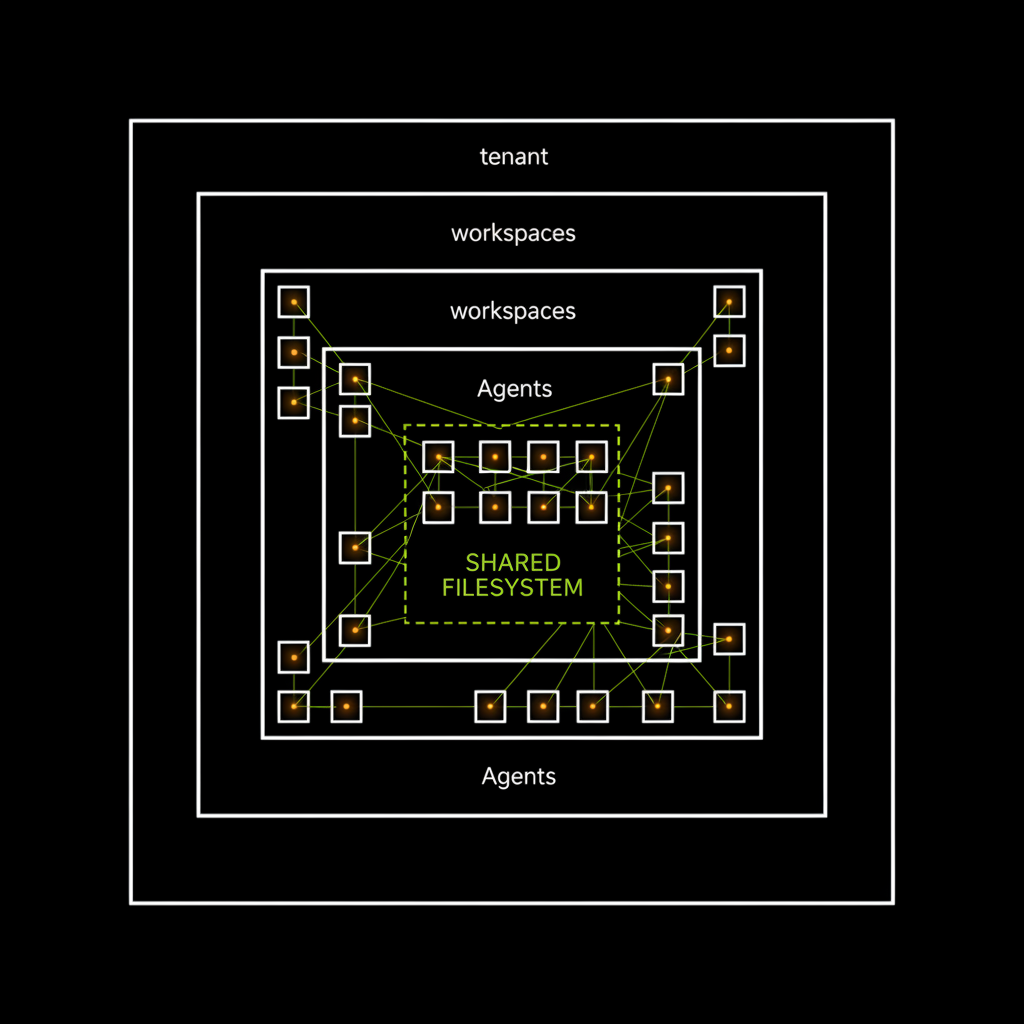
API keys are stored and encrypted per workspace. Agents can only use tools registered in their workspace. The filesystem is mounted per workspace. Even the message bus is workspace-scoped. And because each agent runs in its own container, a faulty agent can't crash other agents in the same workspace.
2. Tool Composability
EpicClaws has a plugin system for tools. A "tool" is anything an agent can call — web search, code execution, file operations, external APIs, even other agents. Tools aren't hardcoded but configured and combined per workspace. A researcher agent gets web search and Arxiv. A coder agent gets filesystem and code runner. New tool? Just plug it in.
3. Emergent Teamwork
Agents in a workspace can communicate via an internal message bus. An agent can ask another for help, share results, or even spawn new agents. What happens when you take this too far, I described in another article: The Night Our AI Editorial Team Invented Itself — where 9 agents produced 6,606 messages and 129 articles overnight. Fascinating and terrifying in equal measure.
Docker Isolation — The Hard Boundary
Workspace isolation at the application level is good. But when you're building a platform for multiple users, software isolation isn't enough. That's why EpicClaws runs fully containerized:
Each service — API, PostgreSQL, Redis, Worker — runs in its own Docker container. The containers communicate only through an internal Docker network. No service is directly reachable from the outside except the API gateway.
The crucial part: workspace filesystems are mounted as Docker volumes. Each workspace gets its own volume. An agent in Workspace A physically cannot access Workspace B's files — this isn't a software rule, it's an operating system boundary.
On top of that: containers run with reduced capabilities. No --privileged, no host networking, no access to the Docker socket. Agent containers have additional resource limits — CPU, memory, disk I/O. A runaway agent can max out its container, but not the host.
Safety Controls
Docker isolation protects at the infrastructure level. But within a workspace, you also need guardrails — otherwise agents just keep going until the token budget is exhausted.
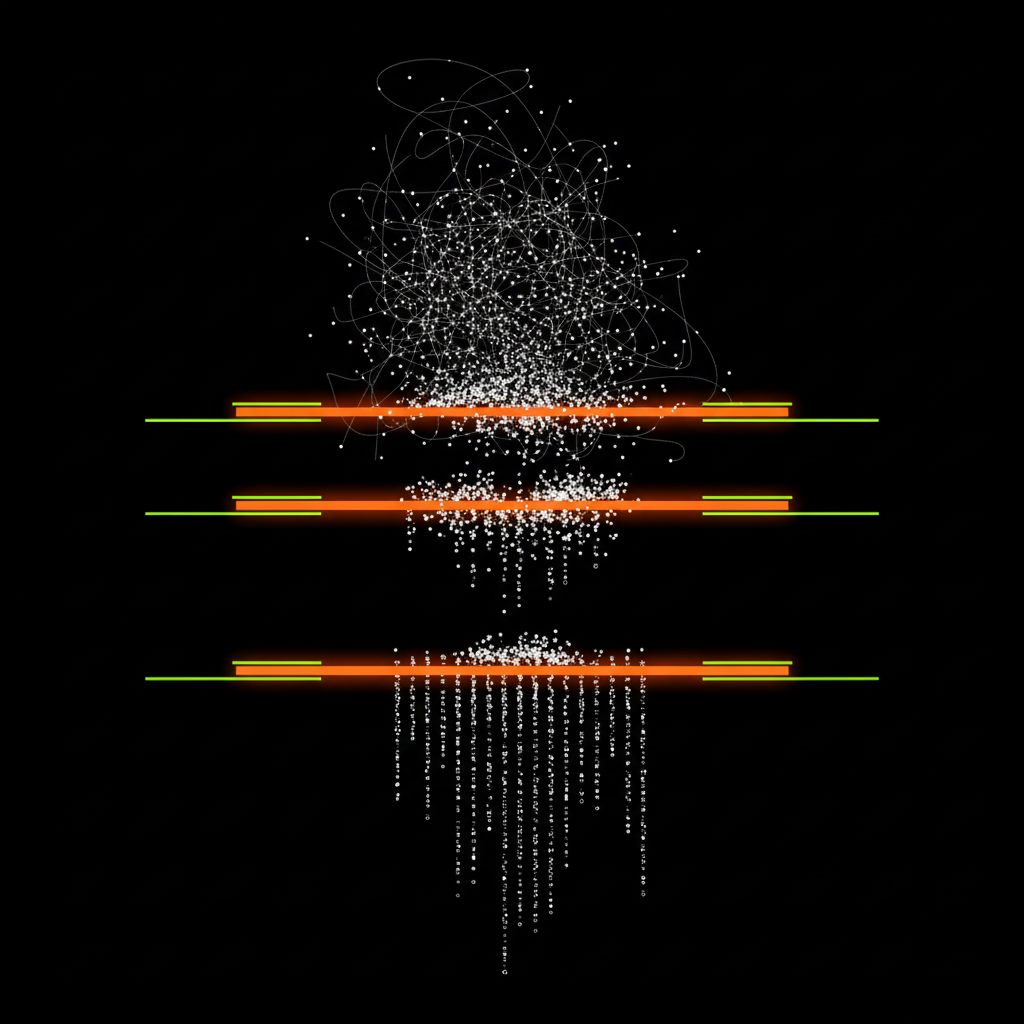
- Depth Limits: Maximum recursion depth for agent-to-agent calls. Default: 5 levels.
- Rate Limits: Maximum messages per agent per time window. No agent can flood the bus.
- Anti-Ping-Pong: Detection of circular patterns. Endless loops between agents get interrupted.
- Heartbeat: Every agent sends a regular signal. If an agent hangs, it's terminated after timeout.
- Budget Tracking: Token consumption tracked per workspace and agent. When exceeded, it pauses, not aborts.
What EpicClaws Can Do Today
- Multi-Tenant with Workspace Isolation — Completely separated environments per user, each agent in its own Docker container
- Tool System with Dynamic Composition — Plug-and-play for agent capabilities
- Canvas — A shared document space where agents and humans collaborate
- Secrets Management — Encrypted API key management per workspace
- Team Communication — Agents can delegate and share results
- Heartbeat + Monitoring — Live overview of all active agents
- Real-time UI — Native macOS/iOS app + web frontend, all via WebSockets
- Docker Deployment — Complete container setup with isolated volumes
What's Next
EpicClaws isn't finished. It probably never will be — the field moves too fast for that. But it's at a point where it's actually productively usable. Next steps: MCP integration for broader tool support, a marketplace for tool packages, and better observability tools so you can understand why agents make certain decisions.
The goal was never to build the next framework. It was to have a platform where you can deploy agent teams that actually do useful work — safely, isolated, and traceable.